Follow one car through AUTOSMAI.
This tour follows a single customer from first contact to paid invoice, using the same screens your team will use.
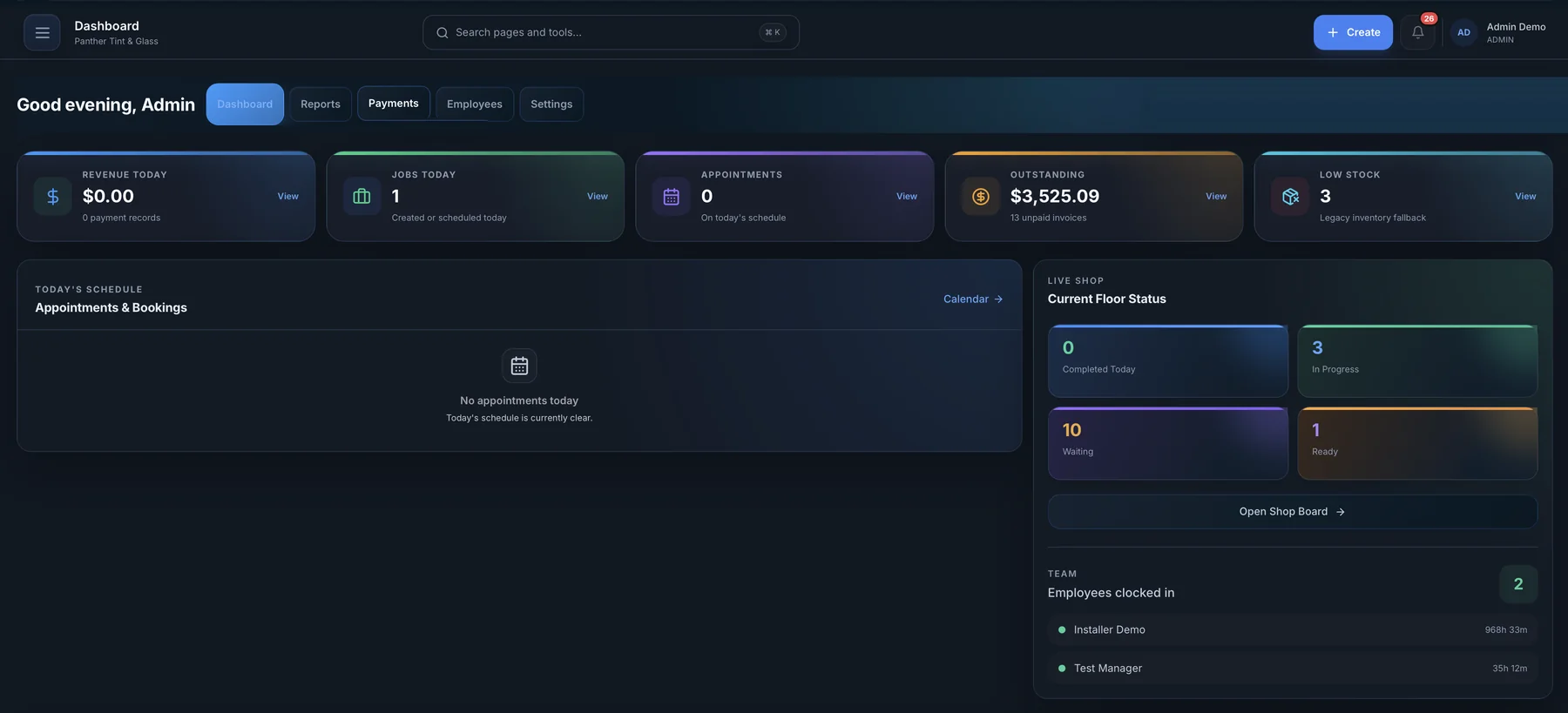
1. Start the day on the dashboard
Today's appointments, jobs in progress, money collected and anything that needs a decision.
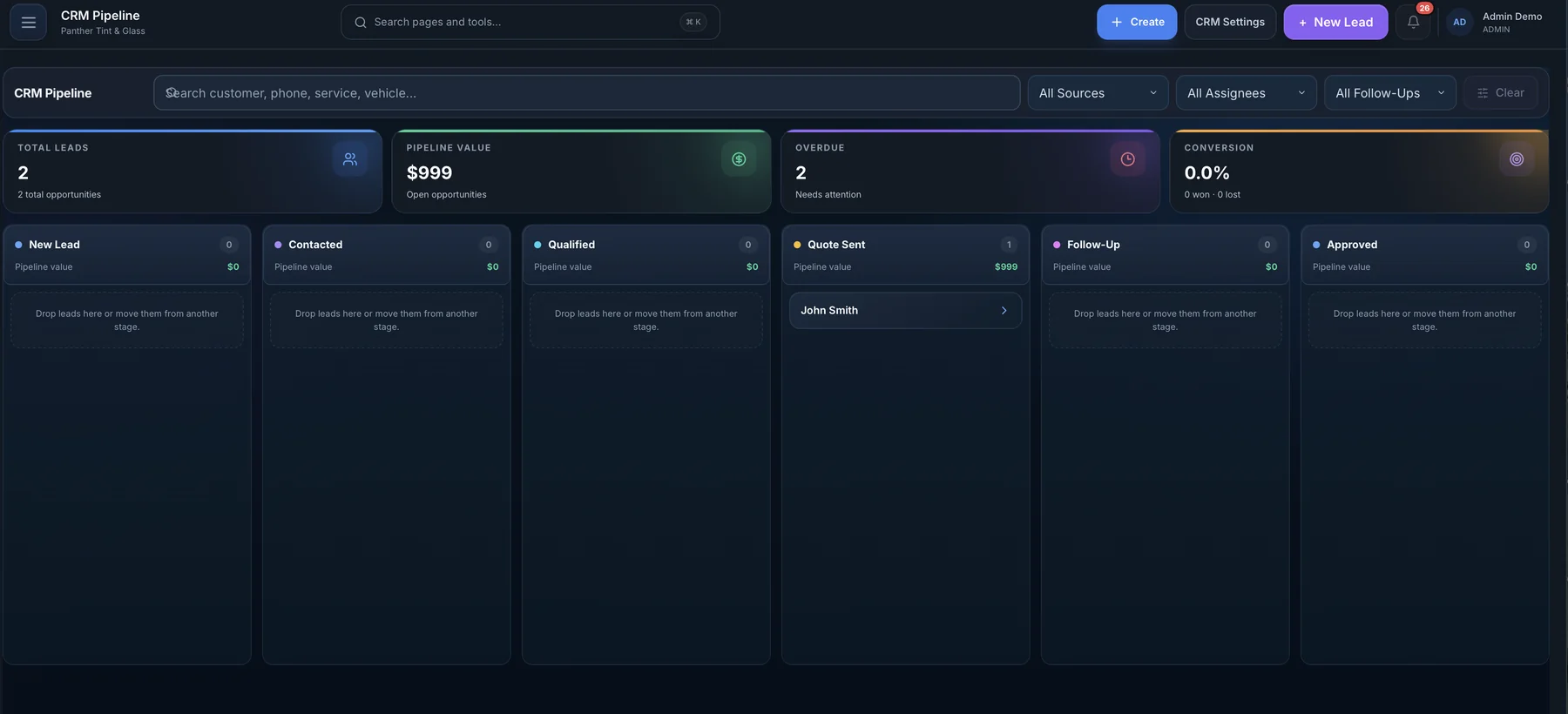
2. Answer a new lead in the CRM
The lead's source, vehicle and conversation are already there. Quote it and move it along the pipeline.
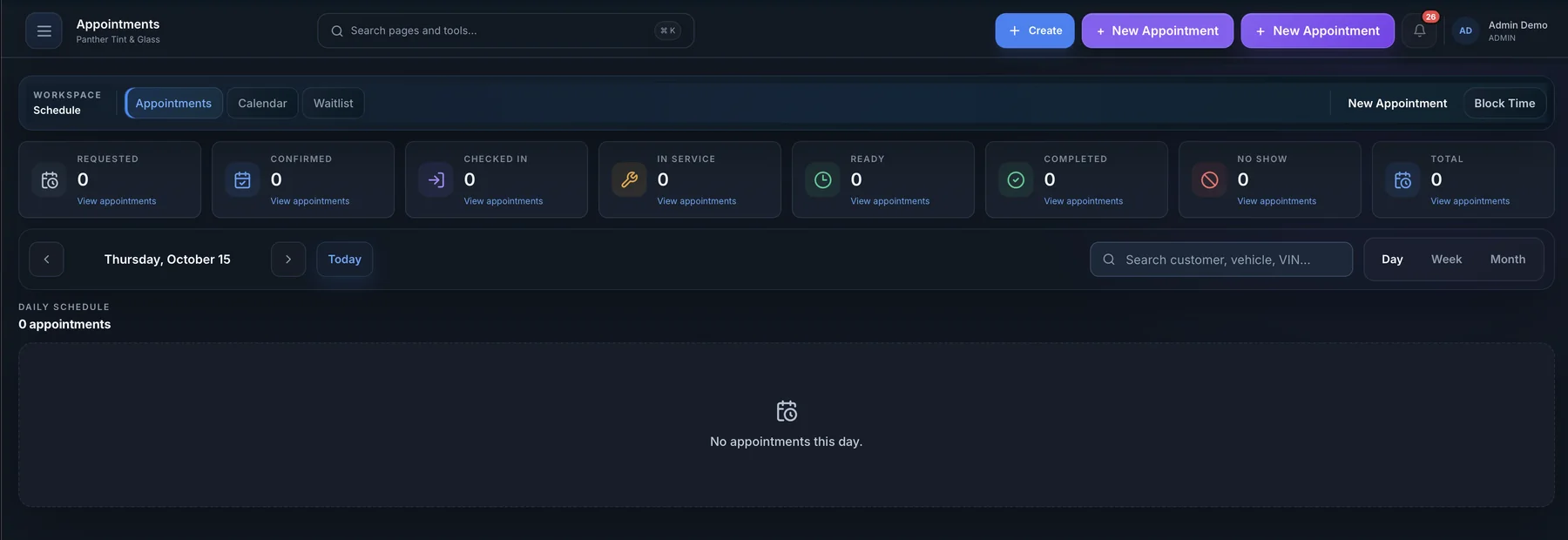
3. Book it on the calendar
Pick a real open slot, or let the customer pick one on your online booking page.
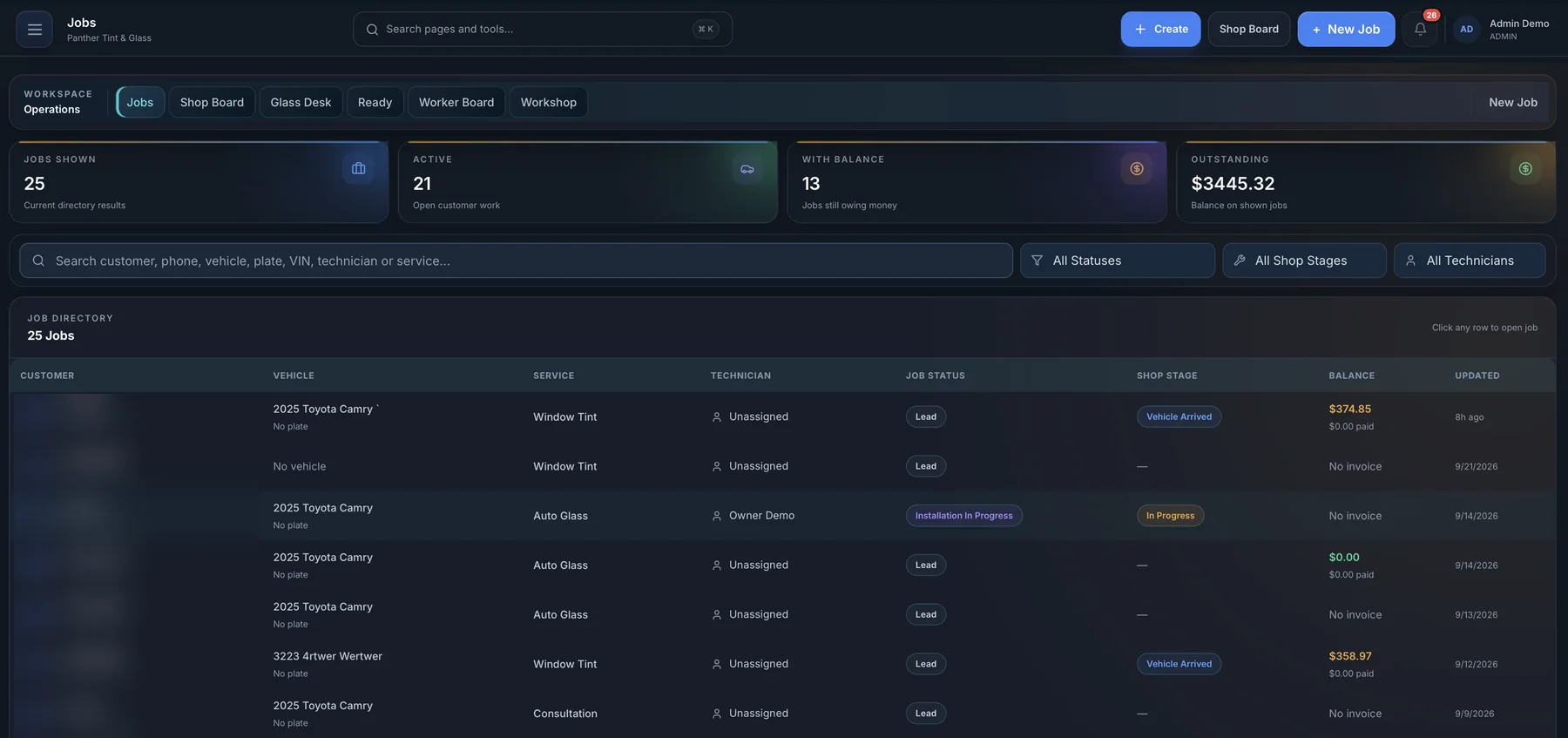
4. Run the job on the shop board
Check the car in, assign a technician, attach photos and move it through each stage.
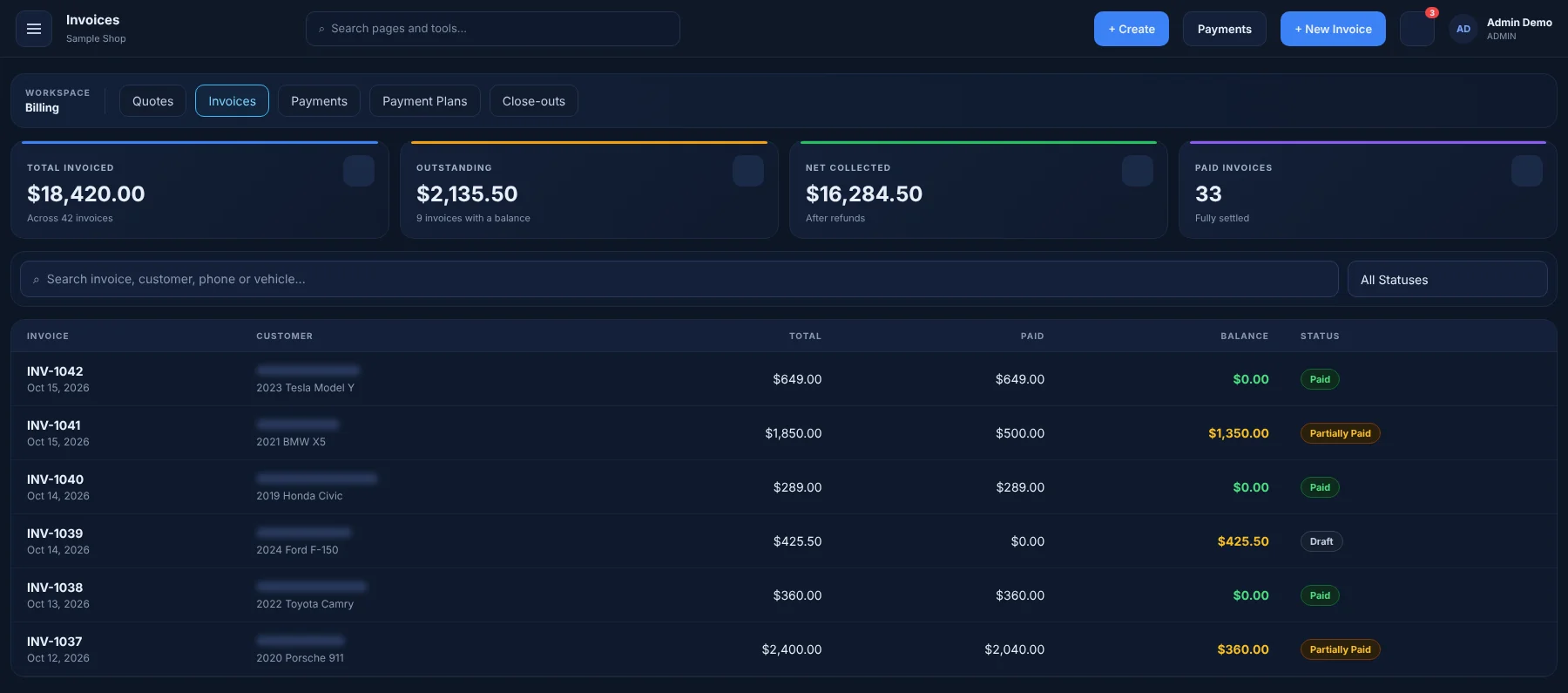
Illustration of the AUTOSMAI screen with sample data. 5. Invoice and get paid
The job becomes an invoice with your taxes applied. Record payment and send the receipt.
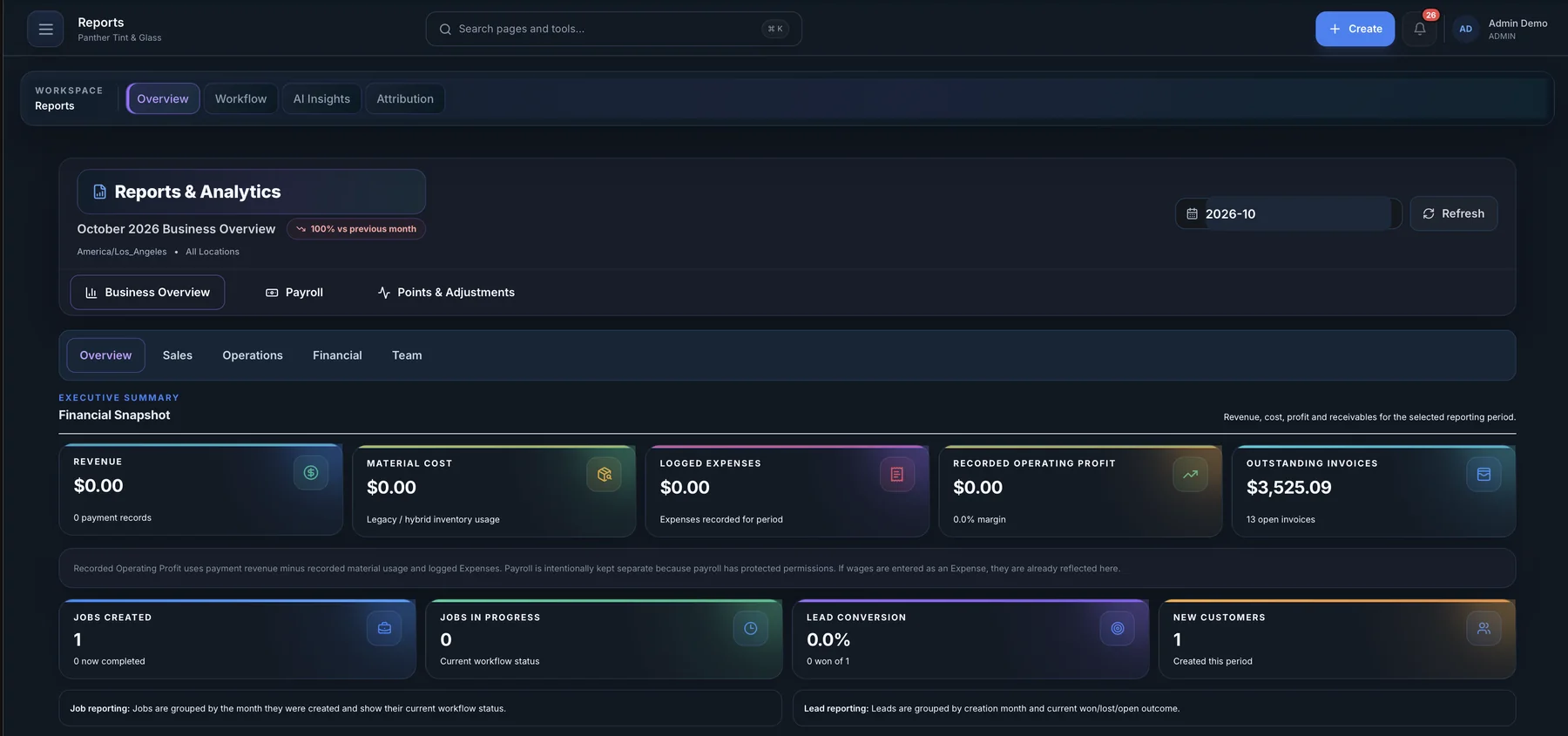
6. See how the week went
Revenue, job counts and technician output, without building a spreadsheet.
Want to see it with your own services? Tell us about your shop and we'll arrange a live walkthrough.
Book a live walkthrough