Multi-location management
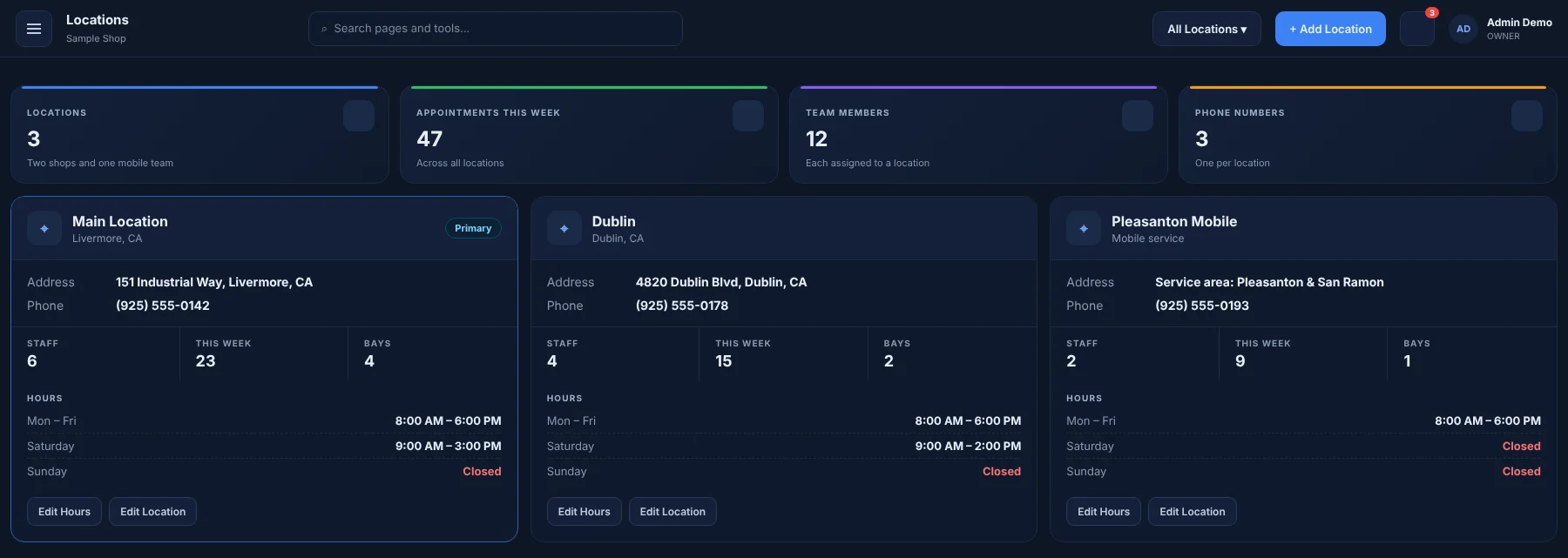
Run several branches from one account. Each location keeps its own staff, calendar and phone number while Admins see the combined picture.
What you can do
Per-location data
Appointments, staff and numbers scoped to each branch.
Admin overview
Switch branches or view the whole business.
Location access
Choose which staff can work at which branches.
Numbers per location
Each branch can have its own phone and texting number.
How it works
Add a location
Create the branch with its address and hours.
Assign staff
Give team members access to the locations they work at.
Switch or combine
Work in one branch, or see every location together as the Admin.
Great for
- Growing shops
- Multi-location businesses
- Franchises
See how AUTOSMAI fits your specialty on the industries page.
Works together with
Try Locations free for 60 days
Every feature in your plan is unlocked during the trial. No credit card required.