Employees and time tracking
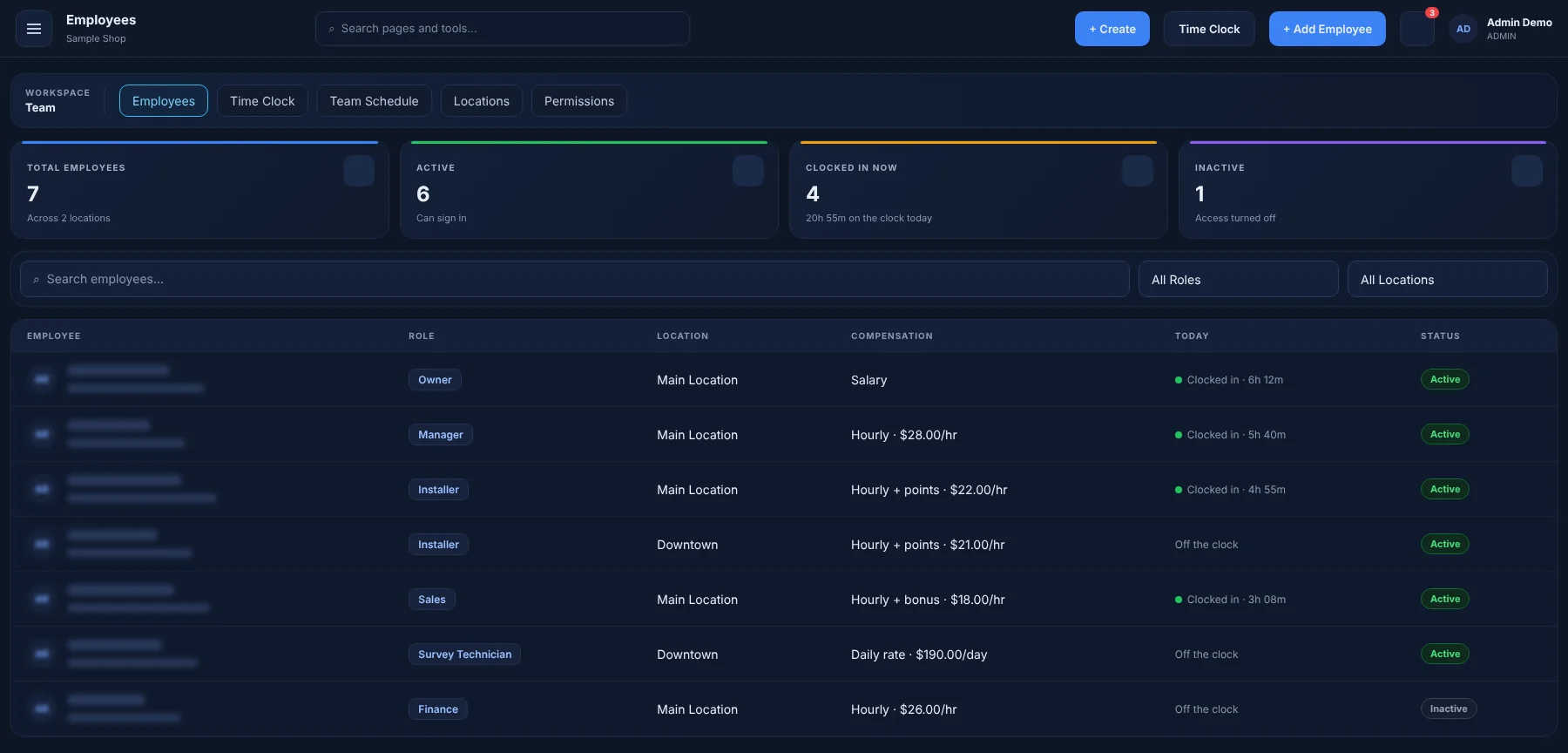
Give every person the right access with roles and permissions. Installers see their own work; managers see the whole shop.
What you can do
Roles & permissions
Admin, manager, sales, installer and finance roles out of the box.
Time clock
Clock in and out, with hours ready for payroll.
Team schedule
Shifts and time off alongside appointments.
My work
A focused task list for each technician.
Earnings & points
Technicians see their own earnings and points.
Staff devices
Approve shop tablets and phones your crew uses.
My tasks
Personal task lists so nothing gets forgotten.
How it works
Add your team
Invite each person and give them a role.
Clock in
Employees clock in on any device; hours are recorded automatically.
Work their list
Each person opens AUTOSMAI to exactly the jobs and tasks assigned to them.
Great for
- Repair
- Auto glass
- Multi-bay shops
See how AUTOSMAI fits your specialty on the industries page.
Works together with
Try Employees free for 60 days
Every feature in your plan is unlocked during the trial. No credit card required.